 Siapa yang belum pernah dengar distro ini? Dulu ada distro yang mirip-mirip namanya dengan Freespire yakni Linspire, mungkin kalau Linspire sudah banyak yang mendengar. Apa hubungan diantara keduanya? Coba baca artikel ini. Siapa yang belum pernah dengar distro ini? Dulu ada distro yang mirip-mirip namanya dengan Freespire yakni Linspire, mungkin kalau Linspire sudah banyak yang mendengar. Apa hubungan diantara keduanya? Coba baca artikel ini.
By the way, kita tidak akan mengulas terlalu jauh tentang sejarah atau asal-usul dari distro ini, yang akan kita bahas sekarang adalah tutorial meng-install Freespire 2.0 dalam bentuk screenshot.
Sekilas tentang Freespire 2.0
Freespire adalah distro turunan dari Ubuntu. Seperti distro lain, software yang disertakan dalam distro ini bersifat free dan open source. Namun tetap memberikan pilihan bagi Anda yang ingin meng-install software-software proprietary dalam sistem operasi Anda.
Berikut ini fitur-fitur dari Freespire:
• a community-driven, Ubuntu-based Linux distribution.
• always made available for free use, distribution and modification, now and forever.
• powerful enough for the most sophisticated Linux user or developer, yet easy enough for someone completely new to Linux.
• available with 100% free, open source software or with the option to include legally licensed, 3rd party codecs, drivers and software.
• it legally supports (or has one-click access to support): MP3, DVD, Windows Media, QuickTime, Java, Flash, Real, ATI drivers, nVidia drivers, Adobe Acrobat Reader, proprietary WiFi drivers, fonts, and so on.
• it provides free access to the entire Freespire open source application pool using apt-get.
• it offers optional use of the Linspire CNR (click and run) Service.
• it includes a total development environment, which can be easily expanded using apt-get or CNR.
• it provides easy-to-use yet advanced installation and configuration options.
• it utilizes the community IRMA project to provide Freespire in dozens of different languages.
• community supported at no charge, with optional enhanced support available.
Begin Installing
Jika Anda belum memiliki distro Freespire 2.0, silakan download dari beberapa alternatif berikut ini:
Freespire 1.0.13 Final (ISO) (686 MB)
Freespire 1.0.13 Final (Torrent) ( MB)
Freespire 2.0 RC1 (ISO) (667 MB)
Setelah selesai download, pastikan md5sum sama dengan file aslinya, biar tidak terjadi hal-hal yang tidak diinginkan (hehehe). Masukkan CD ke drive CDRom dan mulai reboot. Langkah selanjutnya silahkan lihat screenshot berikut ini:
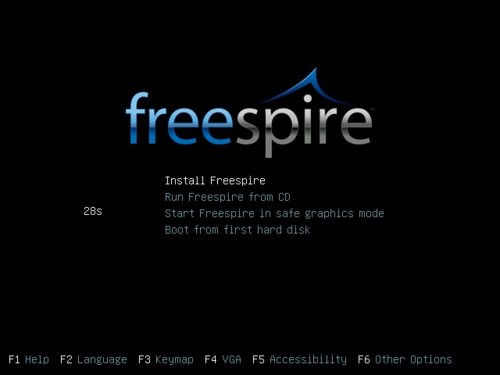
Press the "Install Freespire" option at boot prompt:
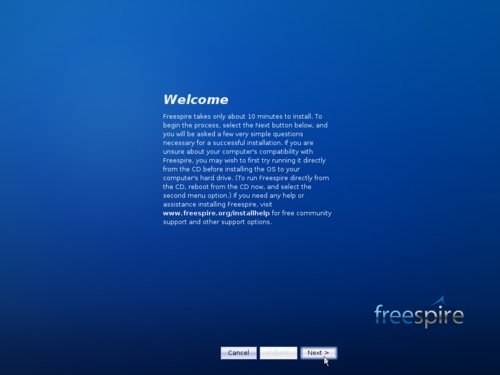 The CD will boot and, in a few seconds, after the boot splash, you'll see the Welcome screen of the installer: The CD will boot and, in a few seconds, after the boot splash, you'll see the Welcome screen of the installer:
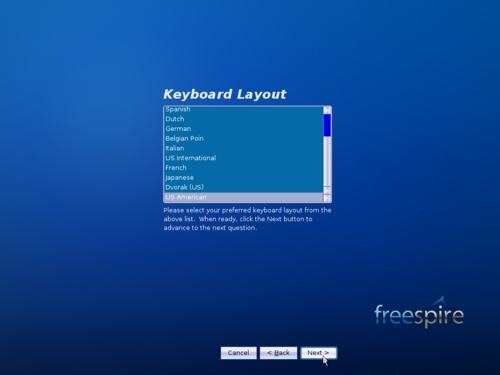 Press the 'Next' button and you have to choose your language: Press the 'Next' button and you have to choose your language:
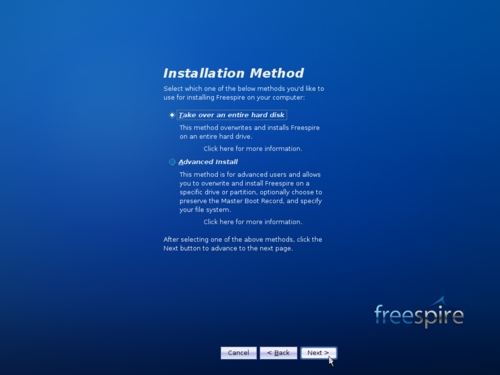 Select the 'Take over an entire hard disk' installation method: WARNING: Your hard drive must be empty (that means no data on it, because everything will be erased). Do not install Freepire on a hard drive that contains another operating system (e.g. Windows XP/Vista). Select the 'Take over an entire hard disk' installation method: WARNING: Your hard drive must be empty (that means no data on it, because everything will be erased). Do not install Freepire on a hard drive that contains another operating system (e.g. Windows XP/Vista).
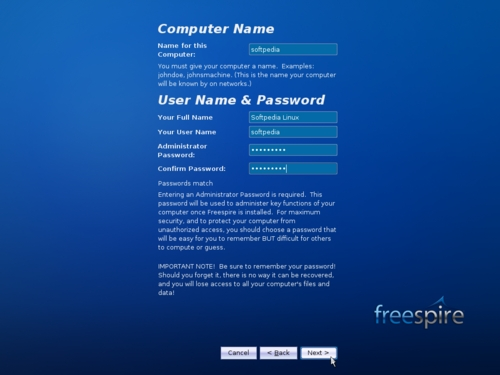 Name your computer and create a user name for the system: WARNING: The password you'll enter at this point is an administrator password, so every time you will be asked for the root (system administrator) password, enter this password you setup here. Name your computer and create a user name for the system: WARNING: The password you'll enter at this point is an administrator password, so every time you will be asked for the root (system administrator) password, enter this password you setup here.
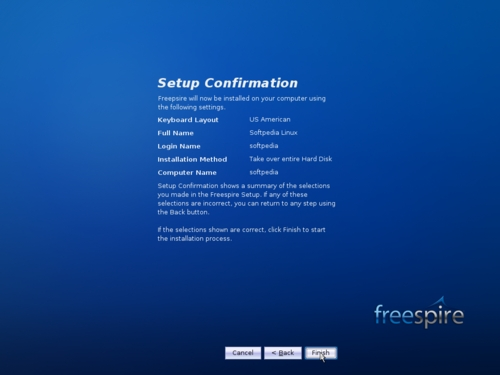 Overview your settings and click the 'Finish' button if everything is ok: Overview your settings and click the 'Finish' button if everything is ok:
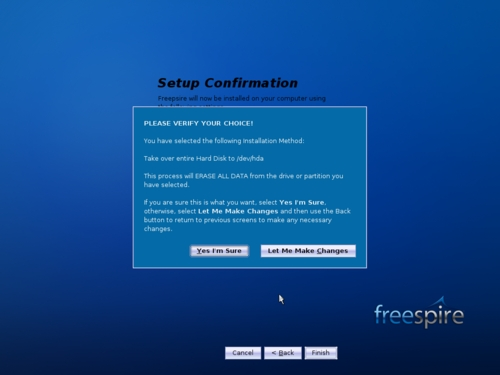 Click 'Yes I'm Sure' on the warning message, which notifies you that all the data on your hard drive will be erased (see first WARNING above): Click 'Yes I'm Sure' on the warning message, which notifies you that all the data on your hard drive will be erased (see first WARNING above):
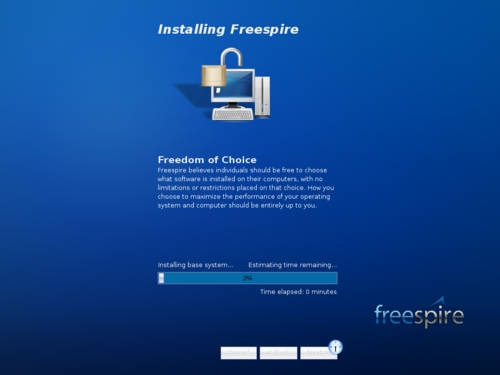
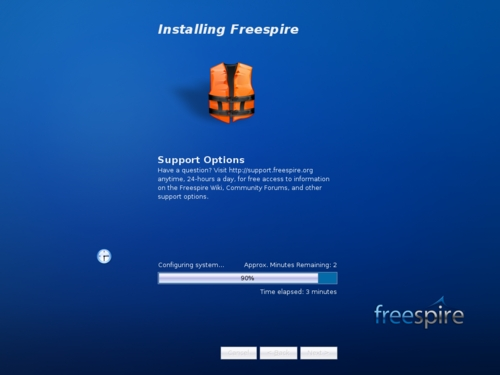 You have time enough for a cup of coffee, because the installation process will take about 6-7 minutes: You have time enough for a cup of coffee, because the installation process will take about 6-7 minutes:
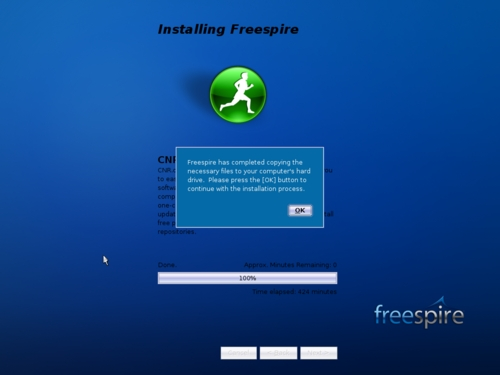
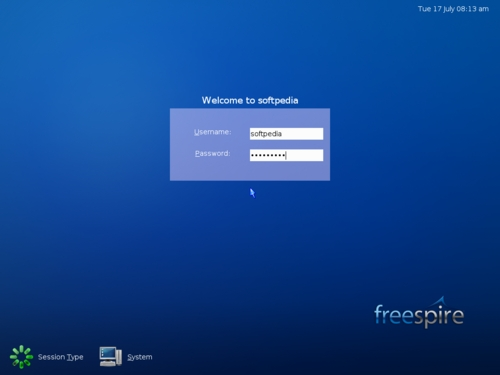
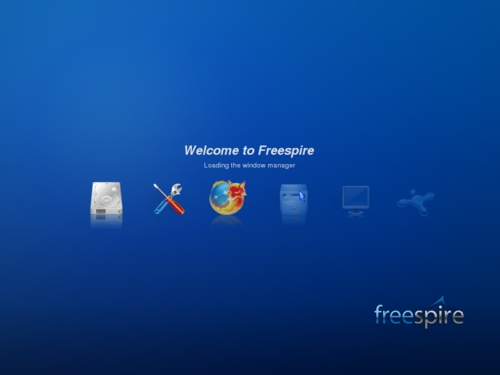
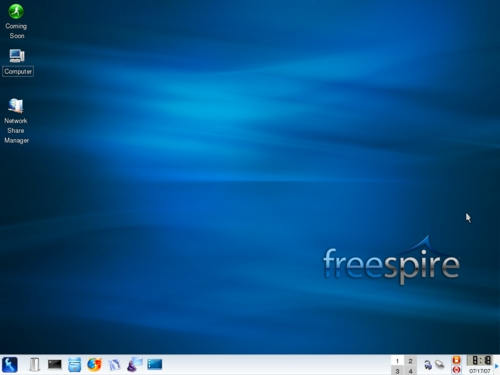 When it's completed, you will be notified through a message. Click OK, eject the CD from your optical drive and reboot the PC. The system will boot into your brand new Freespire 2.0 OS; log-in with the user name and password you've created earlier and enjoy a free and open source operating system powered by Ubuntu. When it's completed, you will be notified through a message. Click OK, eject the CD from your optical drive and reboot the PC. The system will boot into your brand new Freespire 2.0 OS; log-in with the user name and password you've created earlier and enjoy a free and open source operating system powered by Ubuntu.
Sumber Tulisan:
Softpedia
Disadur dan diterjemahkan oleh:
Toko Linux OY
PS: Maaf ya, screenshot-nya kecil-kecil, demi pengiritan bandwith para pembaca sekalian yang budiman, terima kasih... |



